Skip to content

WordPress & WooCommerce Plugin

Free on WordPress.org · PRO add-on

NewAudio Tools, bulk upload, and audio analytics in 1.6

Really Simple Featured Audio

Let people hear it before they buy. Add an audio player to your WooCommerce products, posts, and pages, right where the featured image goes. Upload a file or paste a link, add cover art, and you're done. Includes play on hover, bulk upload, and audio analytics.

Made for anyone who sells or shares audio

  • Beats and loops
  • Sample packs
  • Tracks and instrumentals
  • Audiobooks
  • Podcasts
  • Sound effects
Free

Featured audio

Add audio the way you add a featured image

Open a post, page, or product, drop an audio file into the Featured Audio box or paste a link, and add a cover image if you like. The player shows up where your featured image would, on the post, your blog, and archives.

Made for podcasts, audio diaries, and audiobook samples, as much as for stores.

A podcast post with a photo as its featured image. An audio file and a cover image are added in the Featured Audio box, and the photo turns into an audio player that starts playing on the postMy podcastEpisode 12The Maker Show8:1424:18Featured AudioUploadEmbedDrop an audio fileepisode-12.mp324:18 · 22 MBCover imageAddShows in the player andon your shop pagesUpdate
FreePRO extras

WooCommerce

Let shoppers listen before they buy

WooCommerce has no way to preview audio, so people buy beats, sample packs, and audiobooks blind. Put a player in the product gallery and on your shop pages, and they hear exactly what they're paying for. Audio links on External/Affiliate products work as previews too.

With PRO, put the audio first, second, or last in the gallery and give it your own gallery thumbnail.

A WooCommerce product page. The audio moves to the front of the product gallery, and its player starts playing the track next to the Add to cart buttonShop$29.00Add to cartAudio position in galleryPROFirstSecondLastUse your own gallery thumbnail too
FreePRO extras

Play on hover

A preview is one hover away

Shoppers browse faster when they don't have to click. Turn on Play on hover and a track starts the moment the pointer rests on it, so people can skim your whole catalog by ear.

With PRO, pick the screen sizes and hover delay, let whole product cards start the preview, and respect reduced motion and keyboard users.

A shop grid of three beats. The cursor moves onto the middle product, which lifts and starts playing its audio preview, while the other players stay pausedBeatsNew releasesPlaying on hover
FreePRO extras

The player

A clean player that fits right in

Cover art, title, and artist up front, with play, skip back and forward, playback speed, and volume. Add autoplay, loop, or a download button if you want them. It follows the visitor's light or dark mode and is easy to use with a thumb on a phone.

With PRO, give the player your own accent color, or keep it always light or always dark.

The audio player with cover art, title and artist. It plays, the speed changes from 1x to 1.5x, and the player switches from the light theme to the dark themePlayerMidnight DriveNova Beats1:123:4510101x1.25x1.5xMidnight DriveNova Beats1:123:4510101x1.25x1.5xPlayer themePROAutomaticLightDarkAccent colorPROAutomatic follows the visitor's device
Free

Audio Tools

Add audio to your whole catalog in minutes

Audio Tools puts every post and product on one screen, so you can set audio, covers, and featured images without opening each one.

Got a lot to add? Bulk upload takes a batch of audio files, a list of links, or a CSV sheet, checks every row first, and matches each audio to its product.

The Audio Tools screen. A CSV sheet is dropped into Bulk upload, and every product in the list gets its audio file and cover one row at a timeAudio ToolsProductsPostsSearch products…Bulk uploadDrop audio files or a CSV sheetCSVbeats.csv5 rows checked, ready to assignProductFeatured audioCoverLo-fi beat packlofi-pack.mp3Drum kit vol. 2drum-kit-2.mp3Ambient loopsambient.mp3Trap stemstrap-stems.mp3Vocal chopsvocal-chops.mp35 audios assigned
FreePRO extras

Audio analytics

See which tracks people actually play

Views, plays, and play rate for every featured audio over the last 14 days. Counts are anonymous and stay on your site: no cookies, no IP addresses, and your own visits don't count.

With PRO, keep history as long as you like and see listen time, how far people listened, date ranges, and CSV exports.

The Audio Analytics report. Bars for views and plays over the last 14 days grow in, next to totals for views, plays, play rate and listen time, and a chart of how far people listenedAudio AnalyticsLast 14 daysExport CSVViews1,284Plays342Play rate27%Listen time18h 40mPROViews and plays over timeViewsPlays14 days of history in Free, all time in PROHow far people listenedPROReached 25%82%Reached 50%64%Reached 75%47%Completed38%

Features

Everything you need free. More when you grow.

The free plugin covers most stores and blogs. PRO is an add-on for sites that want the full picture and more control. Install it on top, and nothing you've set up changes.

Free

In the free plugin

Any post type you use

Posts, pages, products, or custom post types. Choose whether audio shows on your blog home, archives, and single posts.

Place it anywhere

Drop a shortcode into any post to show its audio, or another post's, right where you want it.

Works with your builder

An Elementor widget, a Bricks element, and support for Salient, Astra Pro, Codeixer Product Gallery Slider, and TP Product Image Flipper.

Autoplay, loop, mute, download

Switch on only what you need, separately for uploads and audio links. The download button works on audio you host yourself.

Fits the theme you already use

Built-in support for Astra, Divi, Kadence, GeneratePress, Flatsome, Storefront, the Twenty Twenty themes, and more.

Light on your pages

The player only loads where audio shows. Players added by infinite scroll, AJAX, or page builders start up on their own.

PRO

Added with PRO

Know what keeps people listening

Listen time, completion rate, and how far people get into each track, with history kept as long as you want.

Where your listeners come from

Optional country, device, and referring site counts, plus date ranges and CSV export. Still no IP addresses stored.

Your gallery, your order

Put the audio first, second, or last in the product gallery and give it a gallery thumbnail of your own.

A player in your colors

Set your own accent color for the play button and progress bar, or keep the player always light or always dark.

Smarter play on hover

Choose screen sizes and a hover delay, let whole product cards start the preview, and respect reduced motion and keyboard users.

Premium themes and priority help

Support for OceanWP, Avada, Uncode, Jupiter X, Divi Builder, Konte, Lodestar, and more, plus help straight from the developer.

Screenshots

See the plugin in action

The same player your listeners and shoppers get, on a real theme.

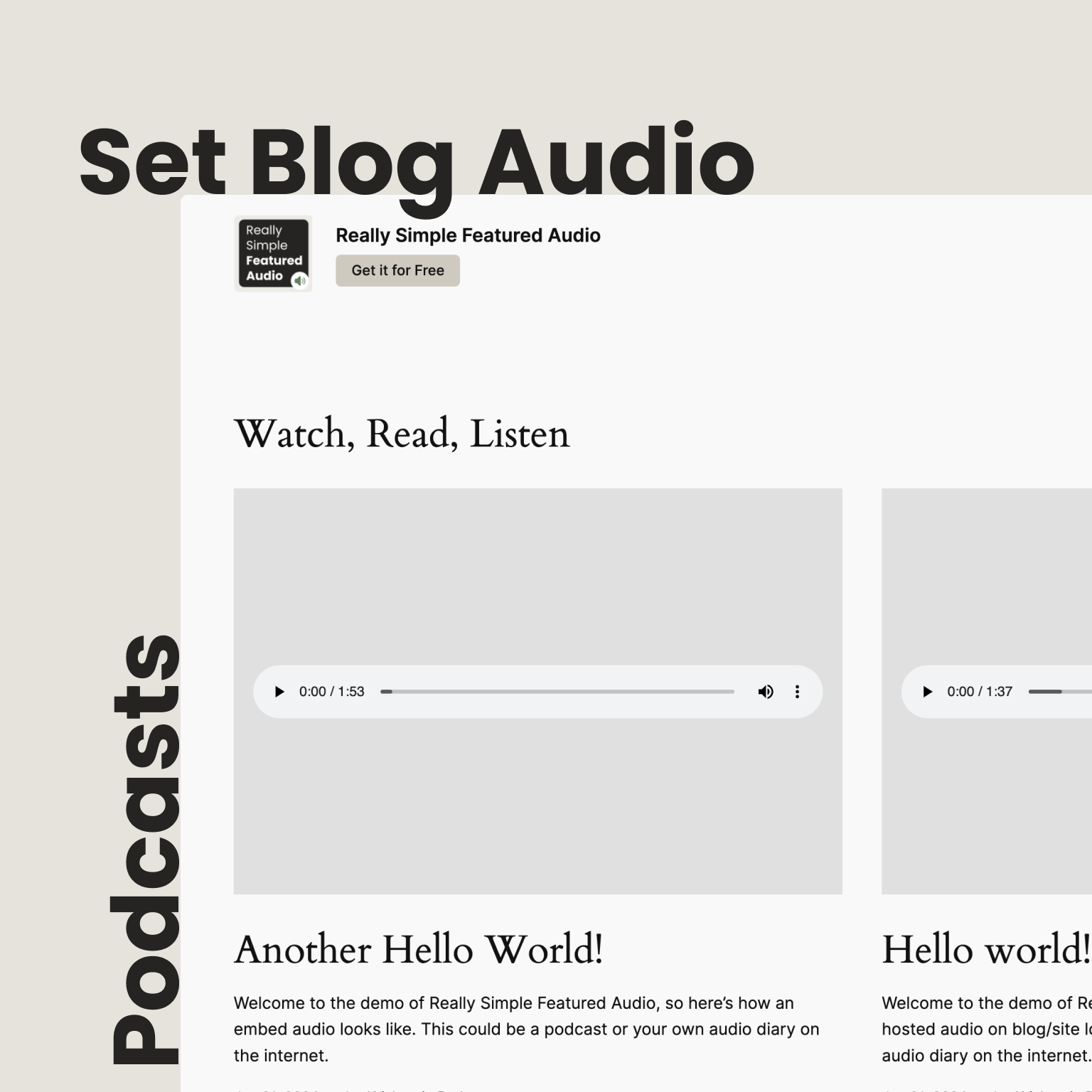
Featured audio players on a blog archive in the Twenty Twenty-Four theme
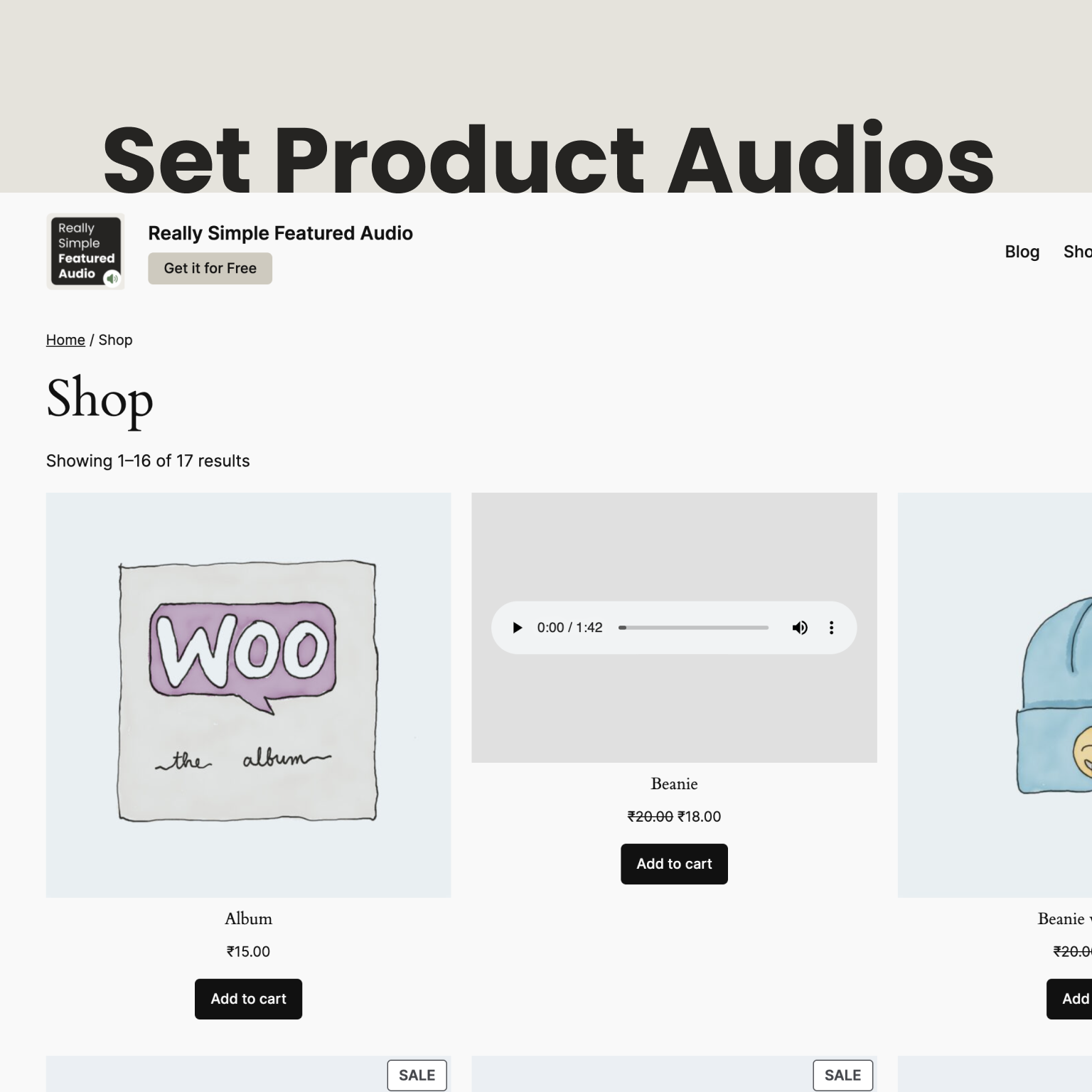
Audio players on a WooCommerce shop page next to the product images
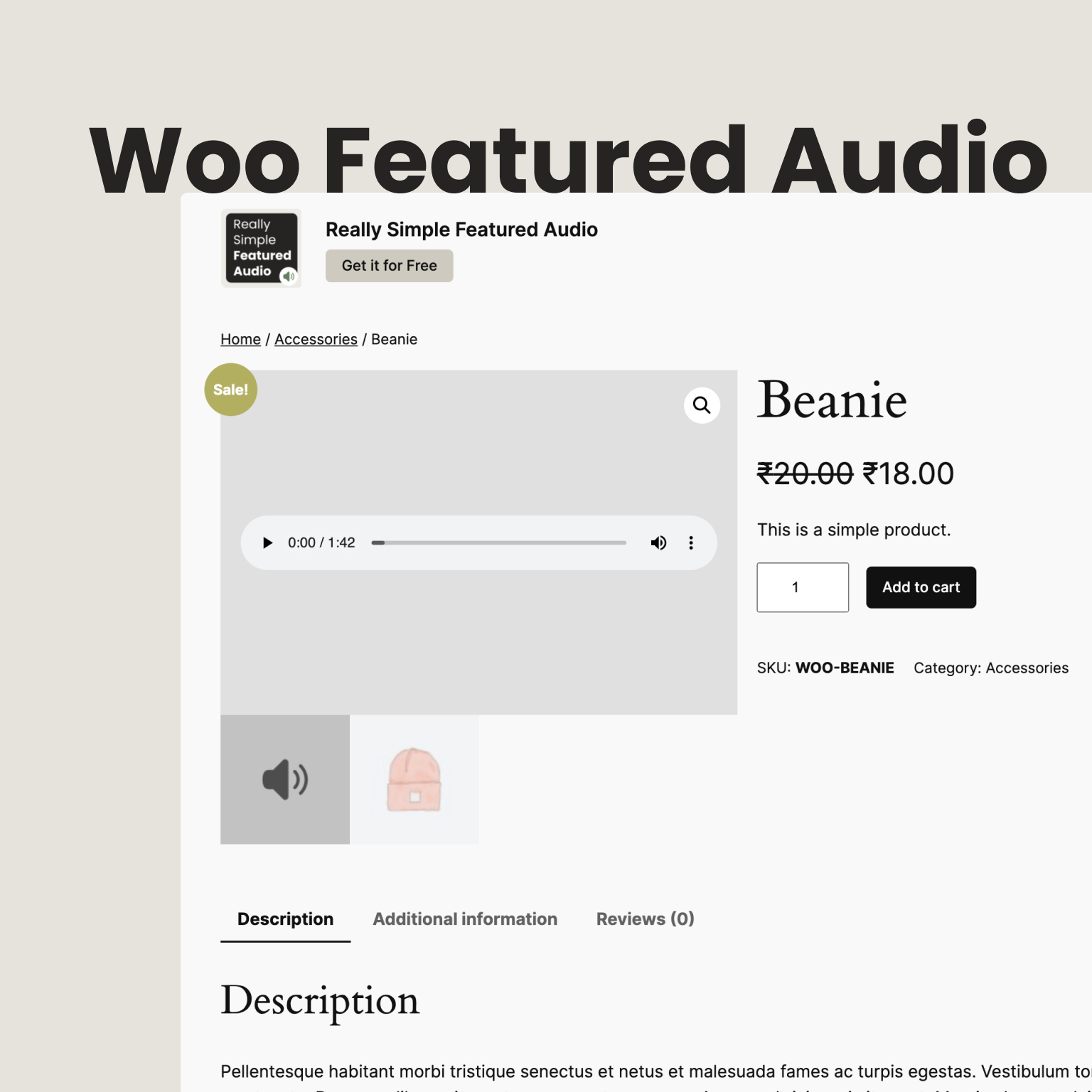
Audio player in a WooCommerce single product gallery
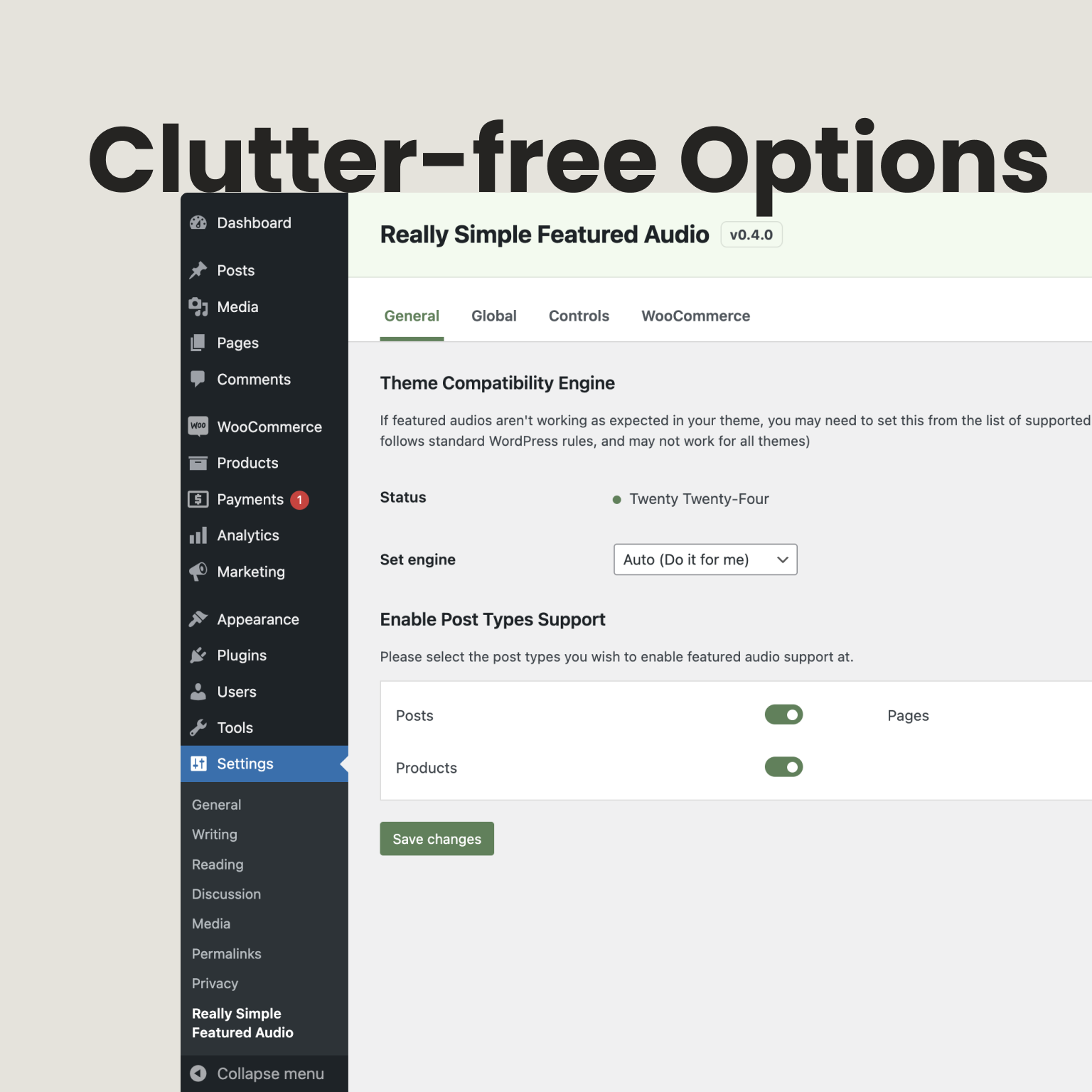
Really Simple Featured Audio settings for autoplay, mute, and where audio shows

Pricing

Choose the right fit for your site

Start free with everything you need to add audio to your store or blog. Go PRO for deeper listening stats, control over your product gallery, a player in your colors, premium theme support, and help from the developer. One payment, yours for life.

PRO plugin

Unlock everything and priority help

v1.2.0 · Changelog · Compare

Special Anniversary Deal

$89 $59 one-time

One payment · lifetime updates.

Number of sites

Secure checkout · 14-day money-back guarantee

VIP Access

Every JetixWP plugin — RSFA PRO included

Best when you want the full JetixWP catalog, early access to new plugins, and one priority support line across your stack.

  • All current and future plugins
  • Early access to new products
  • Priority support across the stack

Compare

Free plugin vs PRO add-on

The details, side by side. Everything in the Free column stays free, and PRO adds the rest.

Feature Free PRO
Player
Featured audio on posts, pages, and products Included Included
Upload files or use audio links Included Included
Cover art, playback speed, skip, and volume Included Included
Autoplay, loop, mute, and download button Included Included
Light and dark player that follows the device Included Included
Your own accent color, or always light or dark Not included Included
WooCommerce
Audio in the product gallery Included Included
Audio on shop, category, and tag pages Included Included
External/Affiliate product links as previews Included Included
Choose the audio position in the gallery Not included Included
Your own gallery thumbnail Not included Included
Play on hover
Play on hover Included Included
Screen sizes, mobile breakpoint, and hover delay Not included Included
Whole product cards as the hover area Not included Included
Reduced motion and keyboard focus options Not included Included
Audio Tools and analytics
Audio Tools with bulk upload (files, links, CSV) Included Included
Views, plays, and play rate Included Included
Analytics history 14 days Up to all time
Listen time and completion rate Not included Included
Date ranges, compare, and CSV export Not included Included
Country, device, and referrer counts Not included Included
Themes and builders
Elementor widget and Bricks element Included Included
Shortcodes Included Included
Built-in theme support 20 themes 30+ themes
Priority theme requests Not included Included
Support
Rollback to an earlier version Included Included
Support WordPress.org forums Priority tickets

FAQ

Common questions

Still unsure? Contact us or read the docs.

Is the free version enough for me?

For a lot of sites, yes. Go PRO when you want longer listening history and deeper numbers, control over where audio sits in your product gallery, a player in your brand colors, or support for a premium theme like Avada or Uncode.

Which audio formats can I use?

Anything your WordPress Media Library accepts, such as MP3, M4A, OGG, and WAV. You can also paste a direct link to an audio file hosted somewhere else.

How do I share a preview instead of the full track?

Upload a short cut, say 30 to 60 seconds, as the featured audio and keep the full file for the purchase. Shoppers hear the preview, and buyers get the full download through WooCommerce as usual.

Why doesn't autoplay or play on hover start right away?

Browsers block sound until a visitor has interacted with the page. Autoplay starts on their first click, and play on hover works once they've clicked anywhere on the page.

Can I add audio to lots of products at once?

Yes. Bulk upload in Audio Tools takes files, links, or a CSV sheet, checks every row, and matches each audio to its post or product for you.

Is audio analytics private?

Yes. Counts stay in your own database. No cookies, no IP addresses, and nothing is sent to us. If you updated from an older version, analytics stays off until you turn it on.

Will it work with my theme?

If your theme shows featured images the usual WordPress way, it will work. Popular themes have built-in support, and if yours doesn't, ask and we'll look at adding it.

Do I keep the free plugin when I upgrade?

Yes. PRO is an add-on that sits on top of the free plugin. Your audio and settings stay exactly where they are. The newest PRO features need the free plugin at version 1.6.0 or later.

Is PRO a subscription?

No. Pay once and get updates for life, on one site or as many as you run.

Where do I get support?

Free users can post in the WordPress.org forums. PRO and VIP customers open a priority ticket from their account page.

Do you offer refunds?

Yes. If PRO isn't a fit within 14 days, tell us and we'll refund you in full.

Let them hear it first

Install free in a minute and add your first featured audio today. Upgrade to PRO whenever you're ready. Everything you set up comes with you.